
How to Spot Fake Apps and Scam Links Before They Drain Your Bank Account
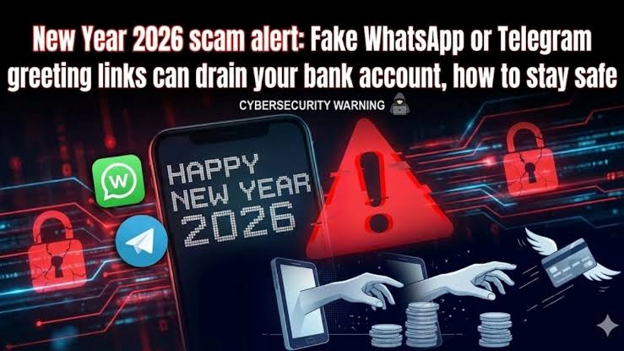
The good news is that a handful of simple habits can protect you from the vast majority of these traps, and none of them require technical skills.
Why These Scams Work So Well
Fraudsters have stopped relying on clumsy spelling mistakes and obviously fake emails. Today's scam messages copy real logos, mimic real sender names, and arrive at the exact moment you might expect them, like right after you've ordered something online. They also lean on emotion instead of logic, using fear, urgency, or the thrill of winning something. When you feel rushed, your brain skips the careful checks it would normally do. That's the whole trick. If a message is trying to make you act before you've had time to think, treat that pressure as a red flag in itself.
Warning Signs of a Scam Link
Start with the message itself and ask a few quick questions. Does it create panic, such as threats to freeze your account, cancel your SIM, or cut your electricity tonight? Does it promise something too good to be true, like a prize, a refund you never requested, or a job with absurd pay? Look closely at the web address, because scammers love lookalike domains with swapped letters, extra words, or odd endings. Shortened links hide the real destination, which makes them a favourite tool for fraudsters. Also notice if the message comes from a random number or personal email address, since banks and genuine companies rarely contact you that way.
How to Check a Link Without Clicking It
You don't have to open a link to judge it. On most phones, pressing and holding the link shows the full address in a preview, and you can read it carefully before deciding anything. Compare it with the official website you already know, and if there's any difference, don't proceed. When in doubt, type the company's web address into your browser yourself, or open its official app directly. This takes ten extra seconds and removes almost all the risk. You can also paste suspicious links into a reputable link-checking tool, though a clean result isn't a guarantee of safety.
Spotting Fake Apps
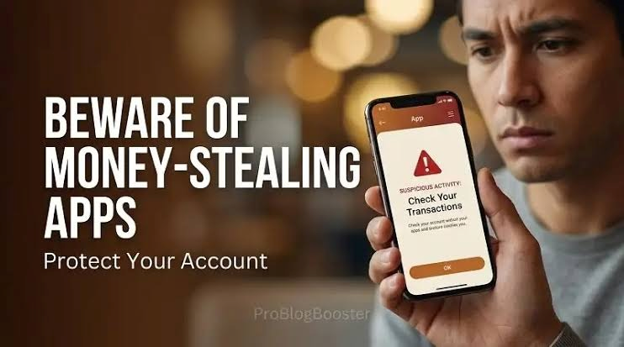
Fake apps are trickier because they often look polished. Some pretend to be banking apps, loan apps, or popular services, and others copy the names of well-known brands with slight changes. Before downloading anything, check who the developer is and make sure it matches the official company. Look at the number of downloads, the age of the app, and the reviews, remembering that scammers can fake ratings too. Be wary of apps that ask for permissions that make no sense, like a flashlight app wanting access to your messages or contacts. Stick to official stores and avoid installing files sent through chat apps or links, since those bypass the safety checks that stores provide.
The Danger of Screen-Sharing and Remote Access Apps
One of the most damaging scams starts with a friendly "support agent" who asks you to install a remote access or screen-sharing app. Once you do, they can see everything on your screen, including OTPs, banking apps, and passwords. They'll often sound calm and professional, and they may stay on the phone to walk you through each step. A real bank or company will never ask you to install such an app to solve a problem. If someone asks, hang up immediately. If you've already installed one, uninstall it right away and contact your bank using the number printed on your card or on its official site.
Everyday Habits That Keep You Safe
A few small routines go a long way. Turn on two-step verification for your email, banking, and payment apps, so a stolen password alone isn't enough. Keep your phone's software and apps updated, since updates often fix security holes that scammers exploit. Never share OTPs, PINs, or card details with anyone, no matter who they claim to be, because genuine staff never need them. Use a strong, unique password for important accounts, ideally with a password manager. And set transaction limits and alerts on your bank account so you notice odd activity quickly.
Safe Payment Behaviour
Be especially careful whenever money is moving. With UPI and similar payment apps, remember that you only enter your PIN to send money, never to receive it. If someone says you need to enter your PIN to get a refund or prize, it's a scam. Double-check the name shown before you confirm a payment, particularly with new contacts. Be suspicious of sellers or buyers who push you to move the conversation off the platform. And if a deal looks far cheaper than it should be, ask yourself why before you pay.
What to Do If You've Already Been Scammed
Speed matters more than embarrassment, because fast action can sometimes stop or reverse a transaction. Call your bank immediately to block cards, freeze accounts, and report the fraud. Change the passwords for your email, banking, and any other accounts you may have used, and uninstall any suspicious app. If you're in India, report the incident quickly through the national cybercrime helpline 1930 or the official portal at cybercrime.gov.in. Keep screenshots, messages, and transaction details as evidence. Finally, tell friends and family, because scammers often target the same circle of people.
Final Thoughts
You don't need to be a tech expert to stay safe. You just need to pause, question anything urgent or unexpected, and verify through official channels. Scammers are good at pressure, but they're bad at patience, and a few seconds of doubt often ruins their plan. Make these habits routine, and share them with the people around you, especially older relatives who may be targeted more often. Stay calm, stay curious, and when something feels off, trust that instinct.
Frequently Asked Questions
1. How can I tell if a link is fake?
Check the full web address for odd spellings, extra words, or unusual endings, and be wary of shortened links. If the message creates urgency or asks for personal details, don't click. Visit the official site directly instead.
2. How do I know if an app is genuine?
Download only from official app stores, and confirm that the developer matches the real company. Check the download count, reviews, and requested permissions, and be cautious if anything looks unusual.
3. What should I do if I clicked on a scam link?
Don't enter any details. Close the page, run a security check on your phone, and change passwords if you shared anything. If you entered banking information, call your bank at once.
4. Can scammers access my bank account just from a link click?
Usually a click alone isn't enough, but it can lead to fake pages that steal your details or to malicious downloads. The real danger comes from entering information or installing something.
5. Where can I report online fraud in India?
You can call the national cybercrime helpline at 1930 or file a complaint at cybercrime.gov.in. Also inform your bank immediately so it can act on the transaction.
Latest Posts