
Why Your Phone Battery Drains Faster in Winter and How to Fix It
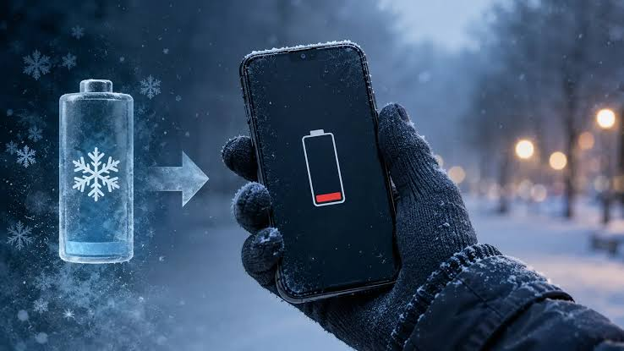
And while many would believe it to be a battery issue or a broken device, the underlying cause is much simpler - chemistry! With the colder months approaching in the larger northern hemisphere and northern India, it's more important than ever to understand what's happening behind the scenes and what measures you could take instead of spending behind repairs and replacement at authorised service centers.
Table of Contents
1. What Cold Does to a Lithium-Ion Battery
2. Why the Battery Percentage Can Mislead
3. Temporary Drain or Permanent Damage?
4. The Charging Mistake That Does Real Harm
5. Practical Fixes That Work
6. Common Winter Battery Myths
7. Comparison: Fixes at a Glance
8. Conclusion
What Cold Does to a Lithium-Ion Battery
Smartphones today have typically started to be constructed with a core lithium-ion battery, a structure built upon energy being stored within moving lithium ions through a liquid electrolyte between two electrodes. When the battery experiences colder temperatures, the electrolytes become thicker which shows ion movement while raising internal resistance and support from the battery. When the battery or room temperatures cool or chilly, battery cells struggle to provide power efficiently as compared to a warmer condition, power that often is insufficient to cater to regular tasks that showcase heavy battery usage.
According to Battery University, a widely cited reference on cell chemistry, researches have shown that cold increases internal resistance and reduces available capacity that limits the lithium-ion battery to delivering only up to half of its capacity at around minus 18 degree Celsius. Apple and Samsung which are the top two leading smartphone companies around the world also recommend operating their phones and batteries between the 0 to 35 degrees Celsius (32 to 95 degrees Fahrenheit) ranges in order to extract the maximum performance while using below those ranges could sharply reduce battery life or even require the battery to shut down to protect the other components.
Why the Battery Percentage Can Mislead
Amongst the most common and confusing challenges with phones in winter is the sudden shutdown that occurred despite the device showing higher temperatures prior to shutting down. It's important to note that a device's battery estimate as well as predicted remaining screentime is drawn from normal temperature calibrations. When the battery cell becomes cold, its resistance levels increase causing voltage being produced to dip despite the cell still holding charge which risks an electric overload and causes the battery to shut down to protect itself. Once the battery cell returns to normal temperature or recovers from the cooling, it regains its balance and continues to show a healthier battery estimate while providing the same level of power. Similarly, older batteries that have been worn out already experience a reduced capacity leading to quicker or more frequency failures and power off than a newer counterpart.
Temporary Drain or Permanent Damage?
While users often run to service centers with worries about permanent damage or frequency drainage of battery while perhaps also being scammed by local repair centers, the winter drain is truly temporary in itself. Apple has consistently reiterated that its battery would return to the actual battery life once the device warms up again, a claim that has also been supported by Battery University. However, it's important to note that the same returning to original functionality may not be observed with heat as many companies report that ambient temperatures above 35 degree Celsius can often inflict permanent reduction in battery capacity.
|
Situation |
What happens |
Lasting harm? |
|
Phone used outdoors in the cold |
Faster drain, possible early shutdown |
No, recovers when warm |
|
Phone left in a cold bag or unheated car |
Low charge held in the cell, sluggish performance |
Usually no |
|
Phone charged while still very cold |
Lithium can deposit on the anode |
Yes, can reduce capacity over time |
|
Phone warmed on a heater or with a hairdryer |
Rapid temperature change and condensation risk |
Possible |
The Charging Mistake That Does Real Harm
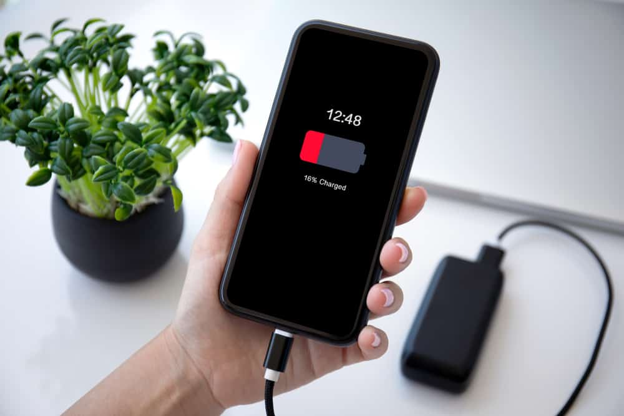
Battery drain often is perceived as a stark challenge in itself, yet it barely contributes to additional harm on the device. The real threat is charging a battery when it is cold! Charging a lithium-ion cell that is cold or in a freezing temperature makes it harder for ions to slot into the anode. This often results in metallic lithium becoming attached to its surface, a deposition that cannot be fully reversed or recovered from and can sharply reduce battery capacity and life. Phone manufacturers like Apple and Samsung also warn users that devices may not be able to recharge outside the safe range or could even simply stop charging if the temperature drops too low.
In your regular life, the rule is simple. Check if your phone feels cold to the touch, if yes allow it to return to room temperature by keeping it in a pocket to become warmer or place it on a desk to reduce the cool feeling before plugging it in to charge. And while returning to it warmer temperatures is necessary, beware of using radiators or hairdryers as sudden and uneven heating can also result in moisture within the battery cell creating greater risks for battery health.
Practical Fixes That Work
Amongst the most effective strategies to avoid winter drainage is a simple solution - ensure periodically that your phone remains warm. Placing the device within an inside jacket pocket or close to your body heat can be a simple solution. Users can also utilise some strategies to manage their battery health and usage by:
1. Using Battery-saving or low-power mode to limit or reduce background activity while in turn reducing battery load and preventing the battery from running out quickly.
2. Using dark modes or lowering screen brightness when possible can also limit power consumption, particularly on OLED screens.
3. Occasionally utilising airplane mode and downloading maps media, music and similar content can also reduce the phone’s power usage searching for signals as compared to live streaming from poor signals.
4. Maintaining the phone’s battery charge regularly around the 20 percent mark can also provide buffers and extend battery life while keeping a fully charged power bank can also provide a warm backup for regular use as well.
Additionally, users can also regularly track their battery health through the phone's settings which showcases the maximum capacity figure, with devices with reduced capacities being likely to be severely hit or affected throughout the winter months and needing additional care. And often if that problem is inevitable, replacing a battery in advance at an Authorised service center may also remain a cheaper alternative than buying a new phone altogether.
Comparison: Fixes at a Glance
|
Fix |
Effort |
Benefit |
Caution |
|
Keep phone in an inner pocket |
Low |
High |
None |
|
Low-power mode |
Low |
Moderate |
Reduces some background features |
|
Lower brightness, dark mode |
Low |
Moderate |
Helps mainly on OLED screens |
|
Offline maps and downloads |
Medium |
Moderate |
Needs planning |
|
Insulated case or pouch |
Low |
Small to moderate |
Bulkier; not a substitute for warmth |
|
Replace worn battery |
Higher |
High for older phones |
Use authorised service |
|
Warm power bank |
Medium |
Moderate |
Keep the power bank warm as well |
Conclusion
Phone draining quickly in winter often trouble the user or raise concerns over their durability but are in fact, simply performing the way they've been designed to! Lithium-ion batteries experience a reduced capacity in their chemical balances which makes the device's calculation unreliable and forced to protect its battery health, even if it means shutting down till optimal temperatures can be achieved again. And if you're looking to minimize such threatening experiences, the path is simple : keep your phone close to the body to keep it warm, avoid putting excessive or unnecessary load and avoid charging when it's frozen while regularly monitoring battery health and temperature, especially on older devices.
Latest Posts